
Score breakdown
Updated Aug 28, 2026Wordtune focuses on one thing and does it beautifully: rewriting sentences to be clearer, shorter, or a different tone. We tested it across emails and drafts.
What is Wordtune?
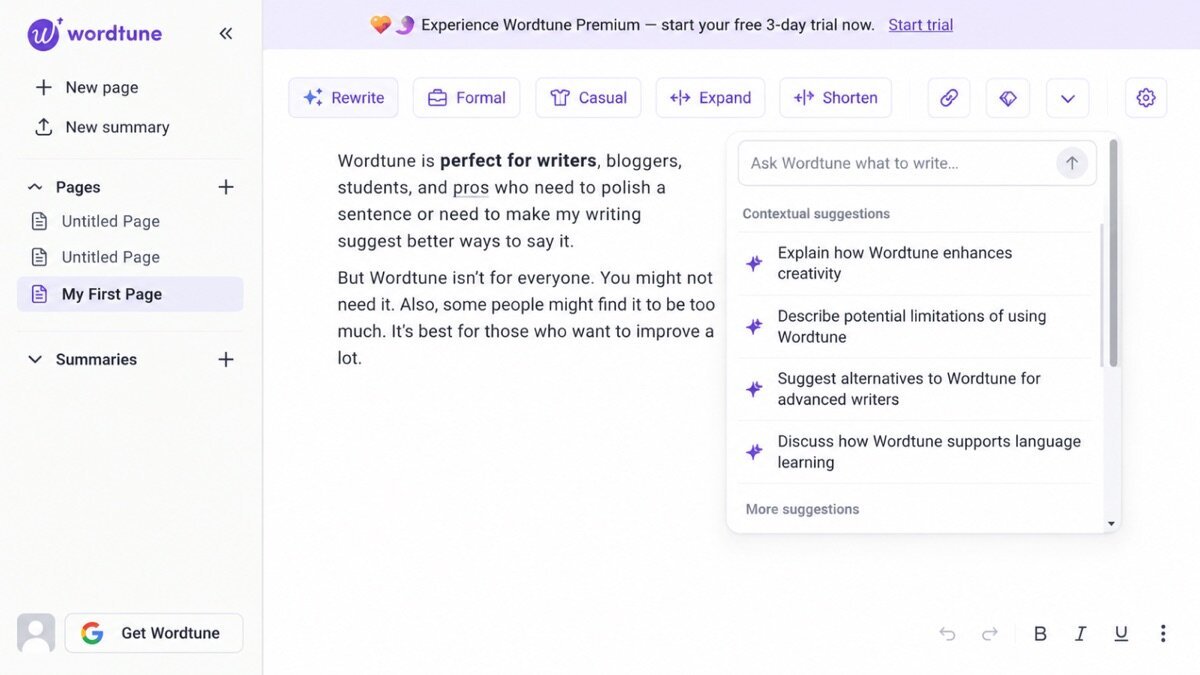
Wordtune is an AI rewriting assistant that suggests alternative phrasings for your sentences, adjusts tone (casual/formal), and can shorten or expand text. It works in the browser and apps, aimed at anyone who wants their writing to read better.
What Wordtune does well
Natural rewrites
Its rephrasing suggestions are among the most natural and useful in the category — the core strength.
Tone and length control
One click makes a sentence more formal, casual, shorter, or longer, which is great for tightening drafts.
Seamless integration
Works inline across the web and apps, so rewriting is always a click away.
Where it falls short
It is a rewriter, not a full grammar/style suite — lighter than Grammarly on corrections and ProWritingAid on analysis. Heavy users may want a more complete editor alongside it.
Wordtune hands-on
For sharpening sentences and fixing clunky phrasing, Wordtune was a joy — the rewrites felt natural and the tone controls genuinely useful. It does not replace a full editor, but as a rewriting layer it is excellent.
How Wordtune scored on our rubric
Wordtune pricing
Wordtune has a free tier and Premium from around $10/month. For a dedicated rewriting tool, it is fairly priced, though some prefer a fuller editor for the money.
Who should (and shouldn’t) use Wordtune
Buy it if you want a slick tool to rephrase and tighten sentences as you write.
Skip it if you want full grammar and style analysis — Grammarly or ProWritingAid do more.
Wordtune alternatives
Full ranking: best AI grammar checkers.
What’s new in Wordtune for 2026
Wordtune has layered generative AI over its rewriting core. “Spices” can continue a thought, add an example, or counterpoint; a summarizer condenses long text; and an AI assistant helps draft, not just rephrase. Tone controls are sharper too. It is still the slickest pure rewriter, now with light drafting tools around it.
Getting the most out of Wordtune
- Use it to rephrase, shorten, or expand a sentence inline as you write.
- Try “spices” to elaborate, add examples, or add a statistic prompt.
- Use the summarizer to digest long articles quickly.
- Toggle tone (casual/formal) to fit the audience.
- Pair it with a grammar checker — it is a rewriter first, not a full editor.
Wordtune in practice: sharpening sentences
We ran clunky, overlong sentences through Wordtune and its rephrasings were consistently the most natural we tested — tighter, clearer, still sounding like us. The tone toggle turned a stiff line casual in a click, and “spices” added a useful example without breaking flow. It does not replace a grammar suite, but as a layer that makes your writing read better, it is a pleasure.
Wordtune for different use cases
- Everyday rewriting: Sharper, clearer sentences as you type.
- ESL writers: More natural phrasing and tone.
- Emails & messages: Quick tone adjustments for the right register.
- Content polish: A final pass to tighten a draft.
How Wordtune compares
| Tool | Best for | Starts at | Our score |
|---|---|---|---|
| Wordtune | Slick rewriting | $10/mo | 8.2 |
| QuillBot | Paraphrasing | $10/mo | 8.3 |
| Grammarly | Everyday grammar | $12/mo | 9.1 |
Is Wordtune worth it?
At around $10/month with a free tier, Wordtune is fairly priced for a dedicated rewriter, and the added AI drafting tools sweeten the deal. Since a fuller editor like Grammarly costs similar, the choice comes down to preference: pick Wordtune if rewriting and tone are your main need and you value the slickest experience.
Wordtune FAQ
The verdict
Wordtune is the best pure AI rewriter — natural, slick, and genuinely useful for sharpening writing. Pair it with a fuller editor and you have a strong combo. We score it 8.2 out of 10.