
Score breakdown
Updated Aug 28, 2026Speechify is best known as a text-to-speech reader — for consuming articles, PDFs, and books as audio — and has grown a voiceover studio too. We tested both sides.
What is Speechify?
Speechify is a text-to-speech platform focused on listening: it reads articles, documents, emails, and books aloud in natural voices across apps and devices, popular for productivity and accessibility. It also offers a voiceover studio for content creation.
What Speechify does well
Read anything aloud
Turns web pages, PDFs, docs, and books into natural audio — its core strength for productivity and accessibility.
Cross-device
Mobile, browser, and desktop apps mean you can listen anywhere, with speed controls.
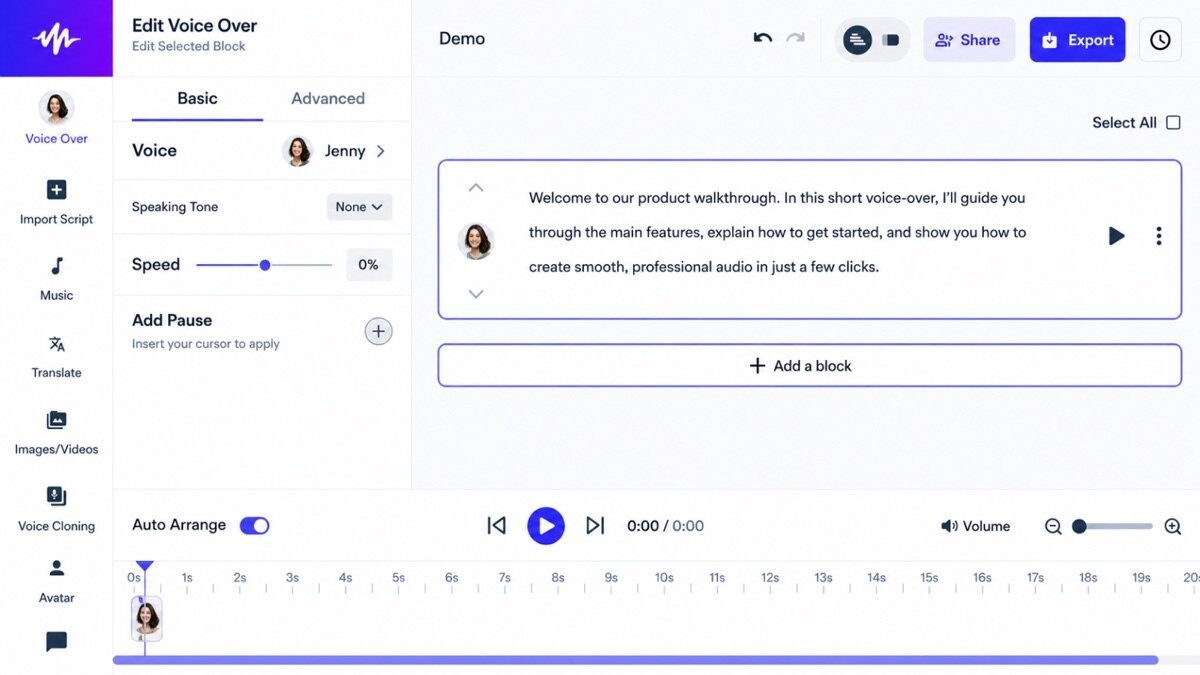
Voiceover studio
A separate studio creates voiceovers for content, expanding it beyond just listening.
Where it falls short
For creating produced voiceovers it trails dedicated tools like ElevenLabs and Murf, and premium is subscription-only. Its sweet spot is consuming text, not producing polished narration.
Speechify hands-on
As a reader, Speechify was excellent — natural voices, great speed control, and handy for getting through articles and PDFs. The voiceover studio was fine but not best-in-class. It is the pick for listening, a secondary option for producing.
How Speechify scored on our rubric
Speechify pricing
Speechify has a free tier and premium from around $12/month (billed annually). For heavy readers and accessibility use, it is strong value; as a voiceover producer it is a secondary choice.
Who should (and shouldn’t) use Speechify
Buy it if you want to listen to articles, docs, and books in natural audio across devices.
Skip it if you mainly produce voiceovers — ElevenLabs or Murf are better.
Speechify alternatives
Full ranking: best AI voice generators.
What’s new in Speechify for 2026
Speechify has improved voice quality, added faster listening speeds, and sharpened its PDF and OCR handling so it reads almost anything aloud. It has also grown a Speechify Studio for creating voiceovers and AI dubbing, pushing beyond pure listening into content creation, while mobile and browser apps keep getting smoother for on-the-go use.
Getting the most out of Speechify
- Use it to listen to articles, PDFs, and books rather than to produce audio.
- Ramp up the playback speed as you get comfortable to get through more.
- Try Speechify Studio when you do need to create a voiceover.
- Sync across devices to pick up listening anywhere.
- Lean on it for accessibility — it is excellent for dyslexia and focus.
Speechify in practice: getting through research
We loaded a stack of articles and a PDF into Speechify and listened at 1.5x while doing other work — natural voices, easy speed control, and it handled the PDF cleanly. As a way to consume more content in less time, it was excellent. The voiceover studio was fine but not a match for ElevenLabs; Speechify’s real strength is on the listening side, where it is the best we have used.
Speechify for different use cases
- Listening & productivity: Turn articles, docs, and emails into audio to consume anywhere.
- Accessibility: A strong aid for dyslexia, focus, and reading difficulties.
- Students: Listen to textbooks and papers, and study on the go.
- Voiceover (secondary): Speechify Studio for occasional content voiceover.
How Speechify compares
| Tool | Best for | Starts at | Our score |
|---|---|---|---|
| Speechify | TTS reader | $12/mo | 8.1 |
| ElevenLabs | Producing voiceover | $5/mo | 9.2 |
| Murf | Studio workflow | $19/mo | 8.5 |
Is Speechify worth it?
For heavy readers and anyone using it for accessibility, Speechify’s roughly $12/month (billed annually) is easily worth it — the time saved and the reading support are real. As a tool for producing voiceovers it is a secondary choice behind ElevenLabs and Murf, so its value depends on whether you mainly want to consume text or create audio.
Speechify FAQ
The verdict
Speechify is the best text-to-speech reader for consuming content, and a capable secondary voiceover tool. For listening and accessibility, it is our pick. We score it 8.1 out of 10.